Microsoft provides a feature to reboot your Windows OS in Safe Mode or Safe Mode with Networking for troubleshooting purposes; however, both modes are limited in terms of performing some actions such as installation or removal of software.
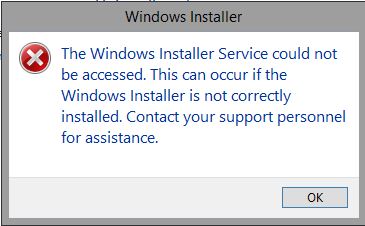
When you try to remove software in Safe Mode, you will get the following error:
The Windows Installer Service could not be accessed. This can occur if the Windows Installer is not correctly installed. Contact your support personnel for assistance.
If you try to start the Windows Installer Service, it will fail.
Solution to Install or Remove Software in Safe Mode
Step 1: Open Command Prompt
Open Command Prompt with administrator access.
Step 2: Run the Registry Commands
If you are logged in Normal Safe Mode:
REG ADD "HKLM\SYSTEM\CurrentControlSet\Control\SafeBoot\Minimal\MSIServer" /VE /T REG_SZ /F /D "Service"
net start msiserver
If you are logged in Safe Mode with Networking:
REG ADD "HKLM\SYSTEM\CurrentControlSet\Control\SafeBoot\Network\MSIServer" /VE /T REG_SZ /F /D "Service"
net start msiserver
Now you can install or remove software in Safe Mode.