In every latest version of vSphere ESXi, VMware is trying to tighten the security of ESXi. Recently, I faced an issue where I was unable to log in to ESXi using SSH after multiple wrong password attempts to the root account from my colleague.
However, I was able to login using DCUI (Direct Console User Interface). When attempting to log in using SSH, the following error appeared:
/usr/lib/vmware/misc/bin/tally_vob.sh failed: exit code 1
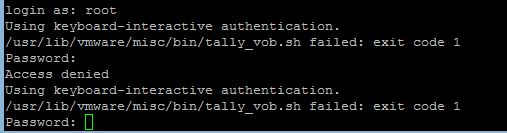
Solution for ESXi root Account Locked Out
Step 1: Access the DCUI
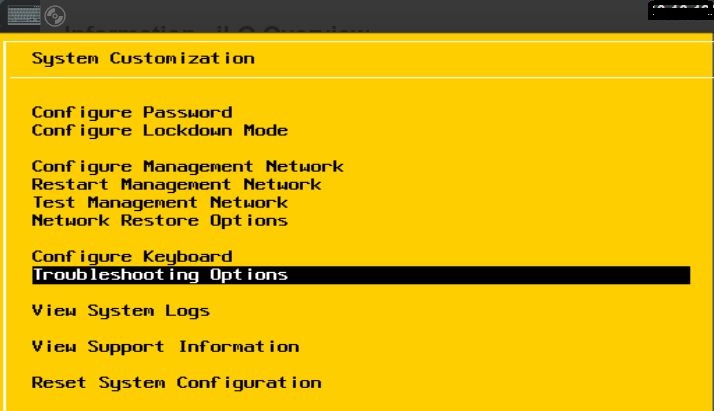
Login on DCUI using F2, select Troubleshooting Options and press Enter.
Step 2: Enable ESXi Shell
Select Disable ESXi Shell and press Enter. You will see the status change from Disabled to Enabled in the right side window.

Step 3: Enable SSH
Select Disable SSH and make sure that SSH is enabled, or you can enable it the same way we did for the Shell in Step 2.
Step 4: Open the ESXi Shell
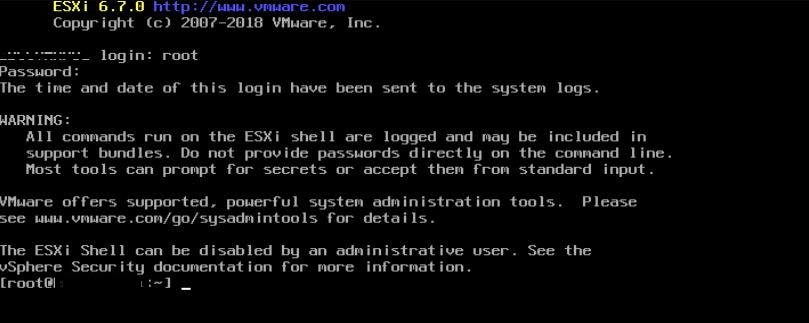
While you are in DCUI, press ALT+F1. You will get a command prompt. Enter the username as root and the password to log in.
Step 5: Check Failed Login Count
You can see the number of login failures by using the following command:
pam_tally2 --user root

Step 6: Reset the Lockout
To unlock the ESXi root account, run the following command:
pam_tally2 --user root --reset
Step 7: Verify SSH Access
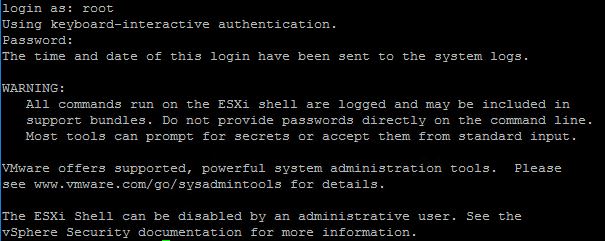
Now try to login using SSH. You will be logged in as root successfully.
Step 8: Return to DCUI
You can use ALT+F2 to get DCUI back as the normal ESXi interface.
References
Frequently Asked Questions
Why does the ESXi root account get locked out?
ESXi 6.x and later versions implement account lockout as a security feature. After a defined number of failed login attempts (default is 5 for SSH), the root account is temporarily locked to prevent brute-force attacks.
How long does the ESXi root lockout last by default?
By default, the ESXi root account lockout lasts for 15 minutes after the maximum number of failed attempts. You can manually reset it sooner using the pam_tally2 --user root --reset command via the DCUI shell.
Can I change the lockout threshold on ESXi?
Yes, you can modify the lockout settings by editing the /etc/pam.d/system-auth file on the ESXi host. However, changing these settings reduces the security posture and is generally not recommended.
Does this solution work on ESXi 7.x and 8.x?
Yes, the same pam_tally2 approach works on ESXi 7.x. For ESXi 8.x, VMware may use updated lockout mechanisms, so consult the latest VMware documentation for your specific version.