
Convert .Crt Certificate to .Cer Certificate
There are different formats of certificates available such as Crt, Cer, Pfx, etc. and each application has its requirements. The most popular format of the certificate on Linux & Windows is pfx, however, there is a different method used to install it on both operating systems.
Objective
Conversion of .Crt Certificate to .Cer Certificate
Solution
-
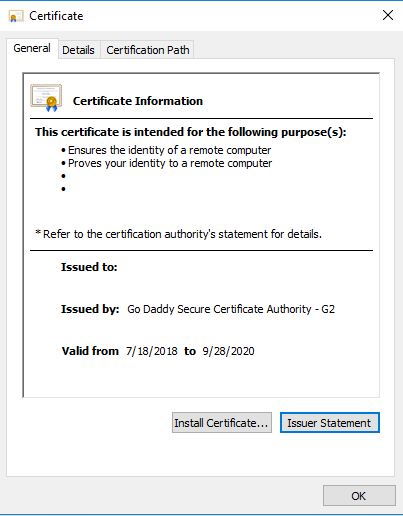
Double-click on the Crt certificate file
-
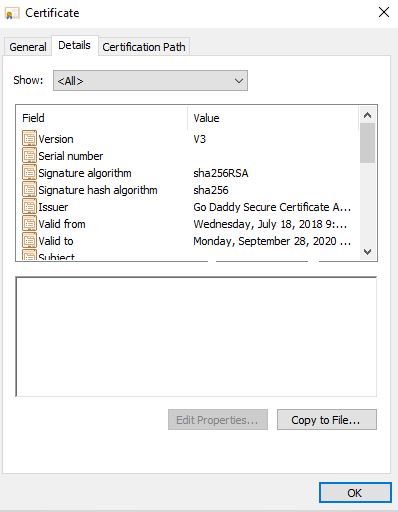
Click on the details tab. Click on "Copy to File..."
-
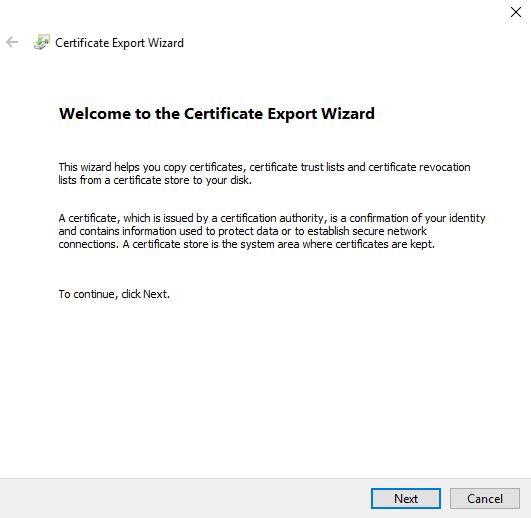
Certificate Export Wizard will start, Click Next
-
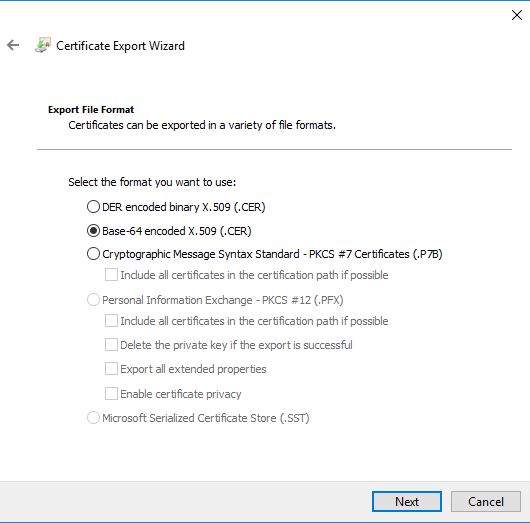
On the Export File Format screen, Select "Base-64 encoded X.509 (.CER)"
-
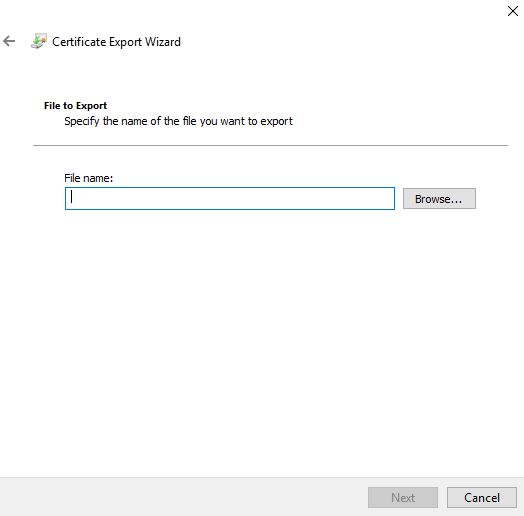
Click browse to provide the file name and path to store the converted certificate from .Crt to .Cer.
Converting certificates from .CRT to .CER or conversion from .CRT to .PFX format might seem daunting initially, but with the right tools and understanding, it becomes a manageable task. However, it's essential to exercise caution, especially when handling private keys and passwords, to maintain the security and integrity of your digital assets.