
In the world of web browsers, only 3 browsers stand out. Microsoft Edge (formerly Internet Explorer), Mozilla Firefox, and Google Chrome. Today we will talk about Google chrome and how we can set up group policies in a domain environment for Google chrome.
This post aims to add a GPO template in Active Directory and set up the home page in Chrome using group policies.
Lab Environment for Adding Chrome ADM/ADMX Template in Active Directory GPMC
- Download the Chrome group policy template from the following link.
https://dl.google.com/dl/edgedl/chrome/policy/policy_templates.zip
You can also download chrome templates for Mac & Linux from the following link.
https://support.google.com/chrome/a/answer/187202?hl=en
Extract the zip file and copy the following file to your domain controller: Windows > adm > en-US > chrome.adm
Configuration of Google Chrome with Group Policies on Managed PCs
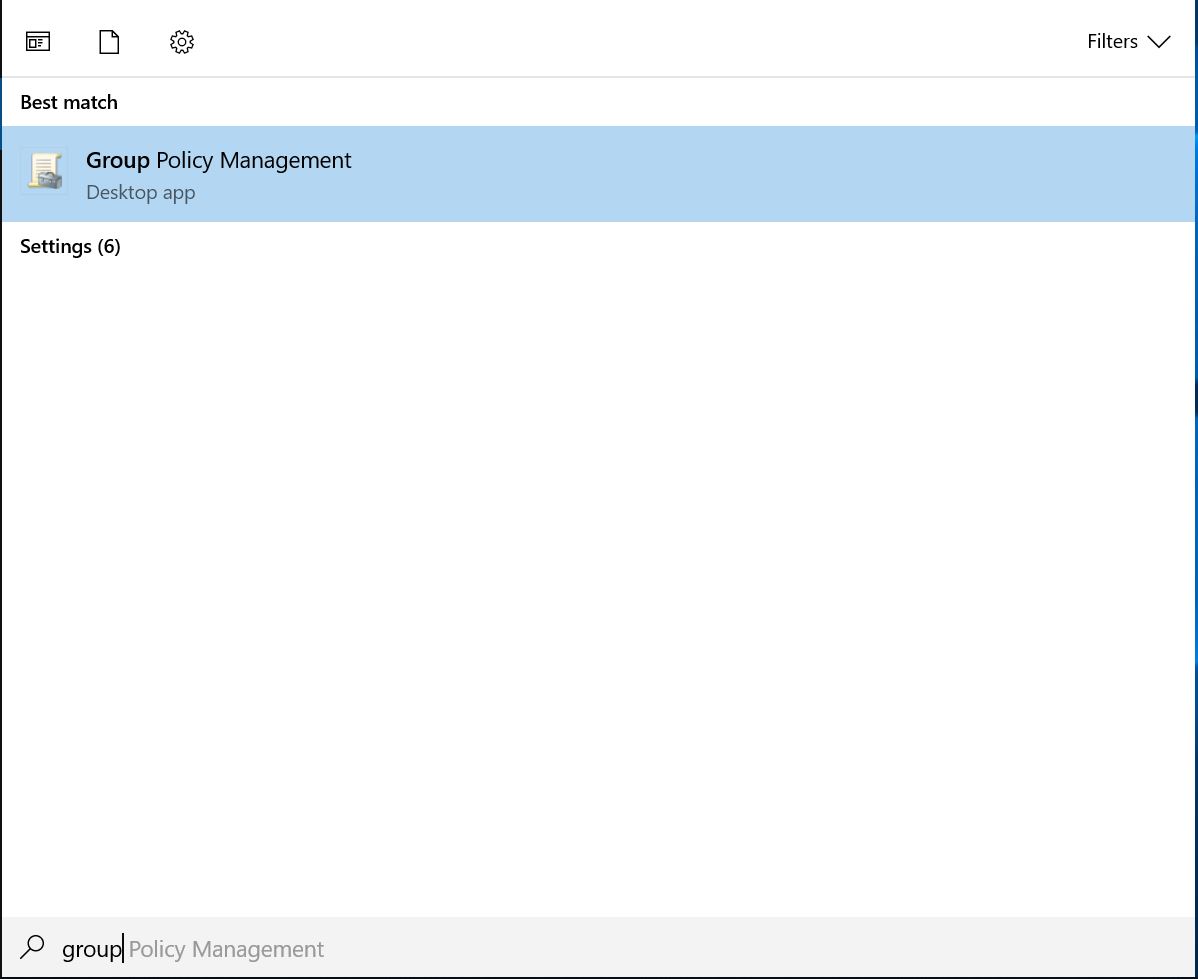
- Open Group Policy Management Console (GPMC)
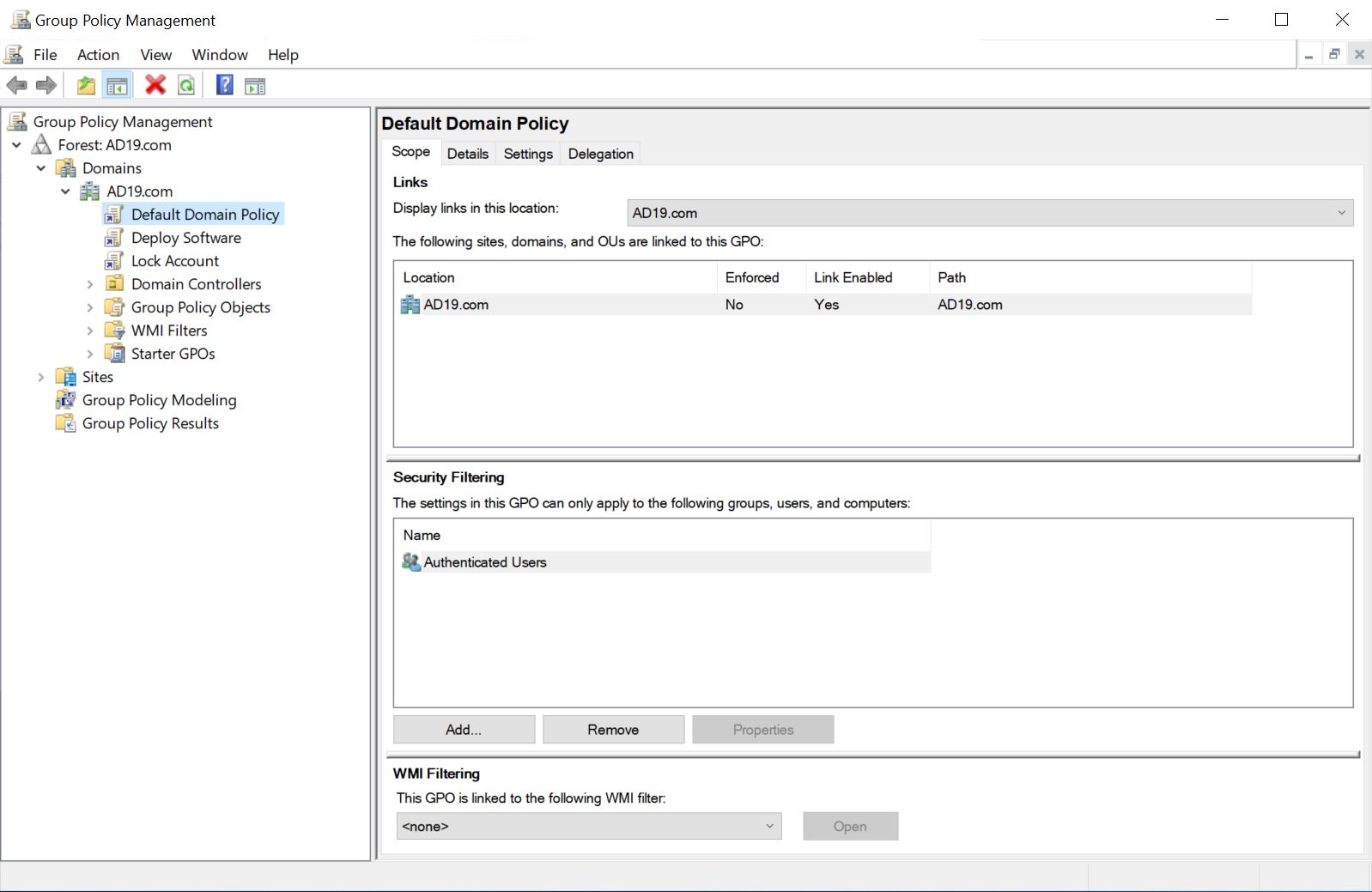
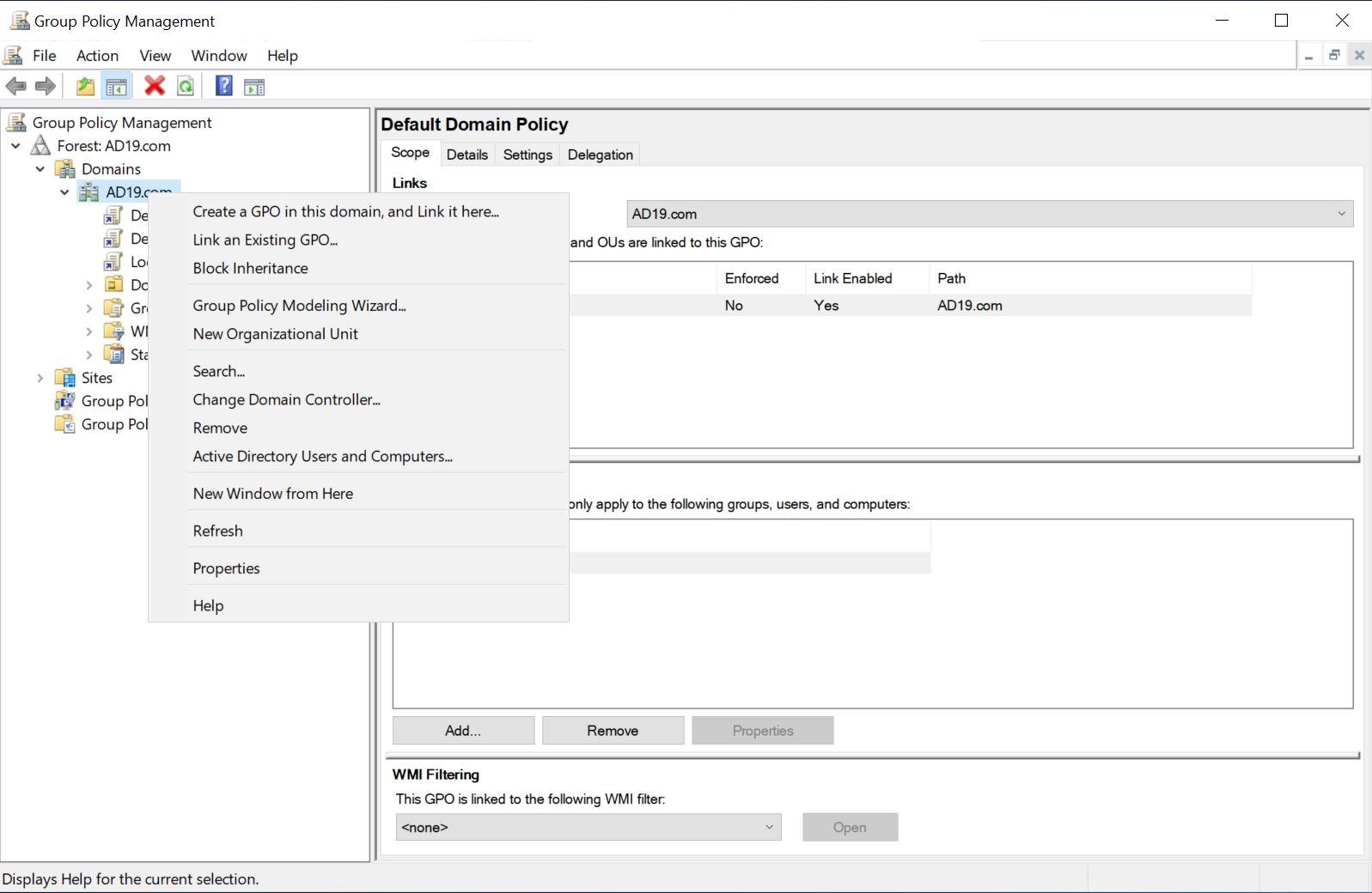
- Right Click on Domain Name and Click "Create a GPO in this domain, and Link it here..."
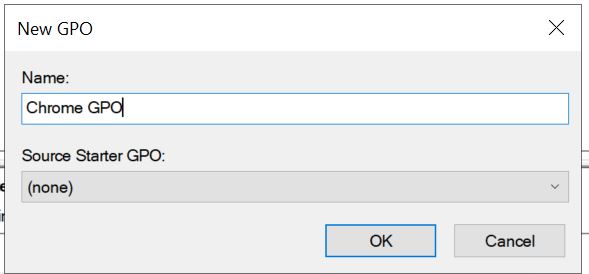
- Give a name to new GPO as "Chrome GPO"
- Right Click on Chrome GPO which we created in the last step and click Edit.
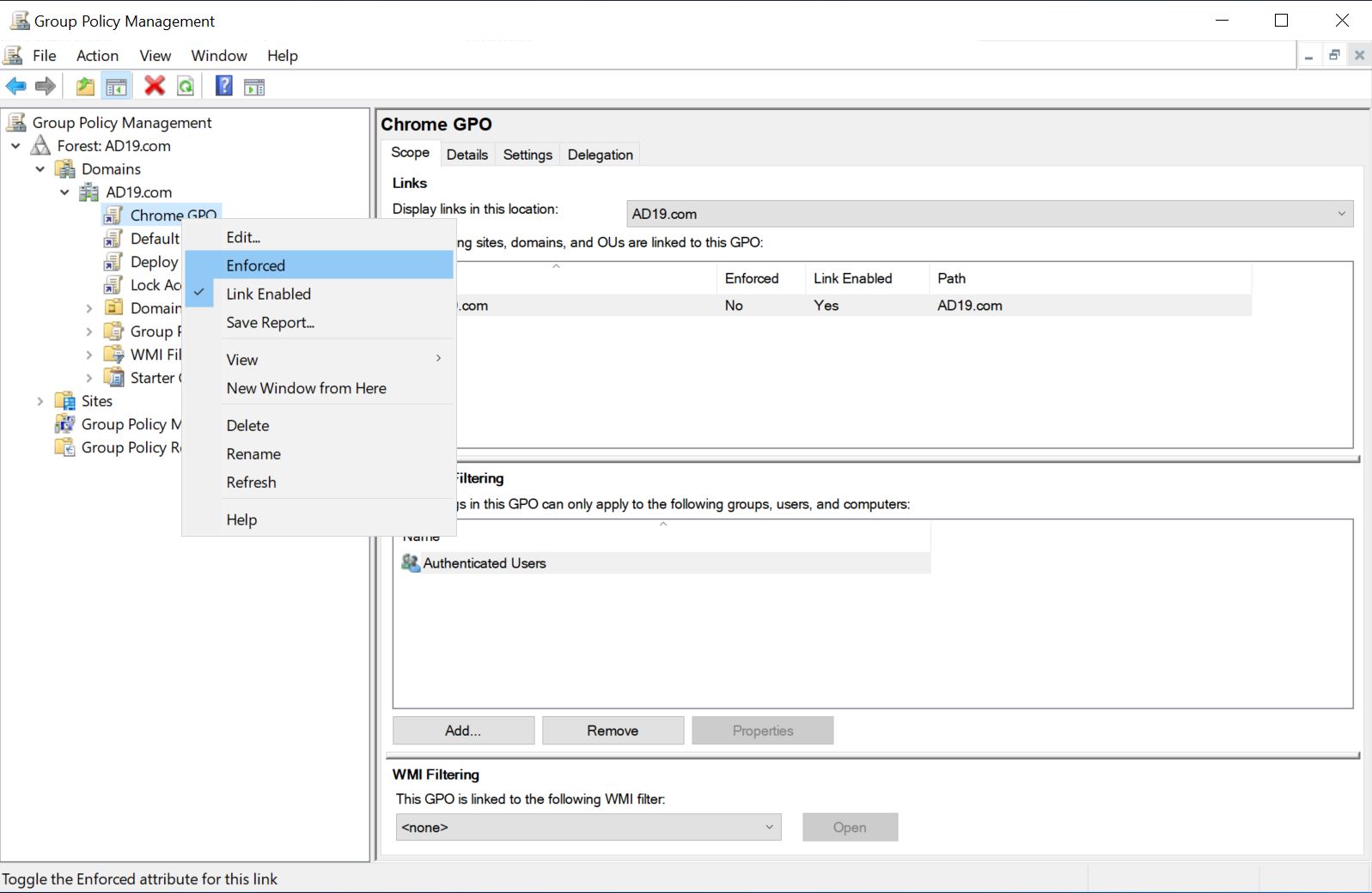
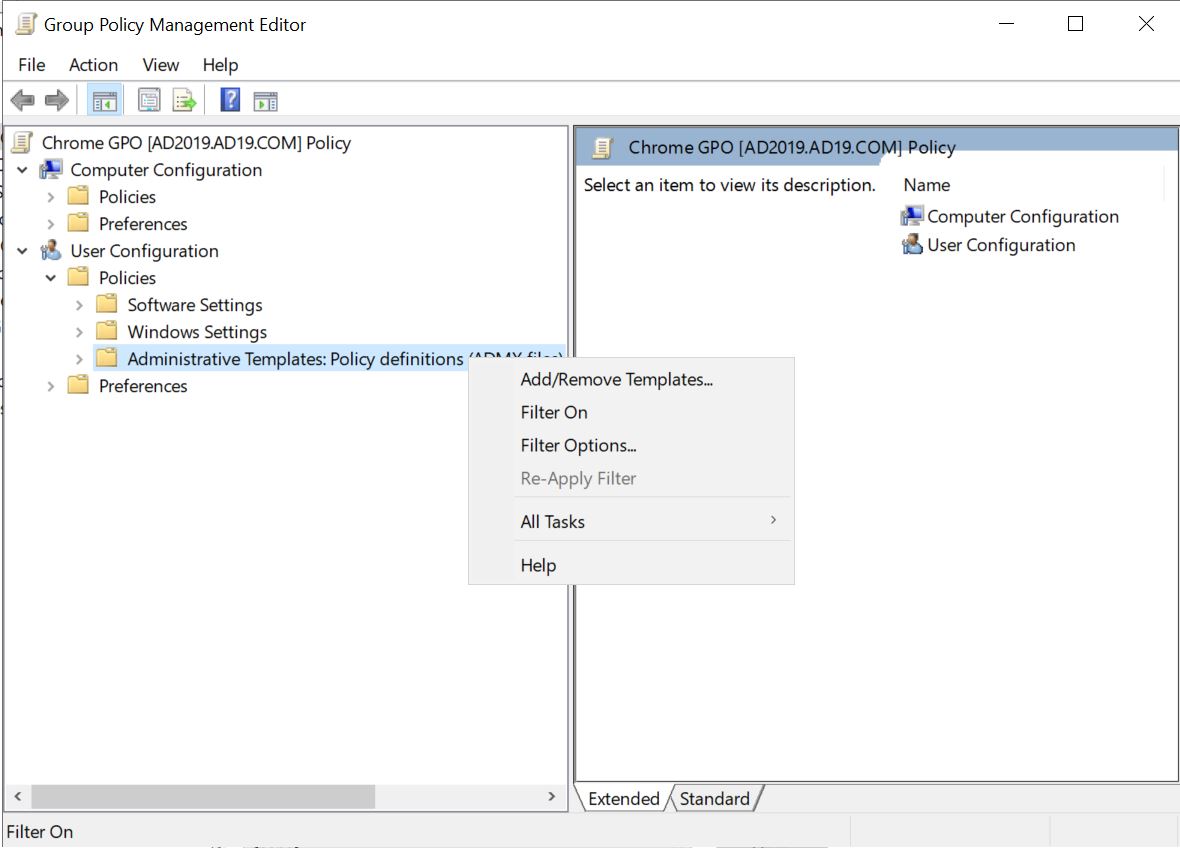
- In User Configuration -- Administrative Templates: Policy definitions. Right Click and Click Add/Remove Templates
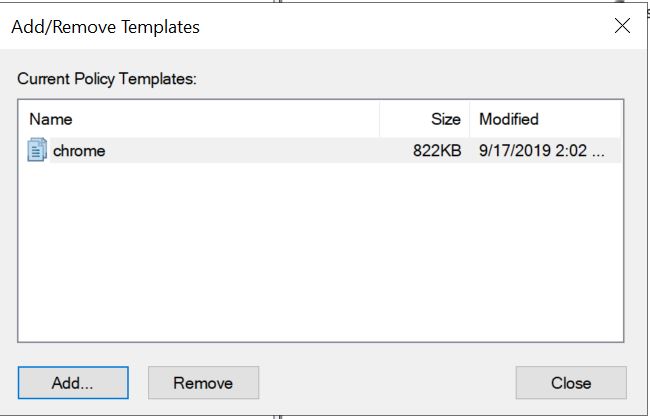
- Click Add and browse to Chrome.adm file and when the file appears, click close
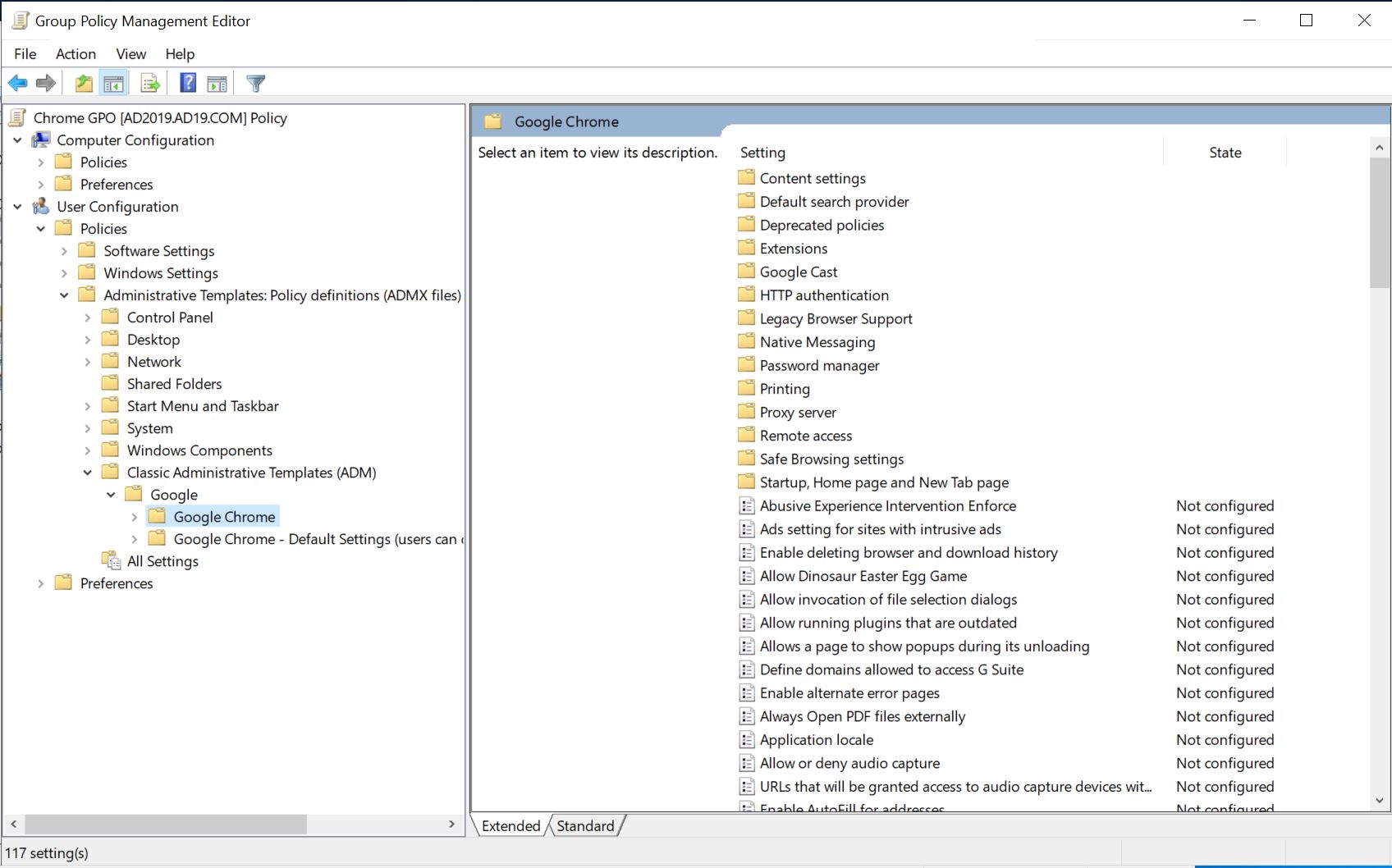
- Expand Administrative Templates: Policy definitions, You will see Classic Administrative Templates (adm), If you expand you will Google where you have all Chrome group policy settings.
How to Set Chrome Home Page Using Domain Group Policies
- As per the above information, expand Google Chrome and click "Startup, Home page and New Tab Page"
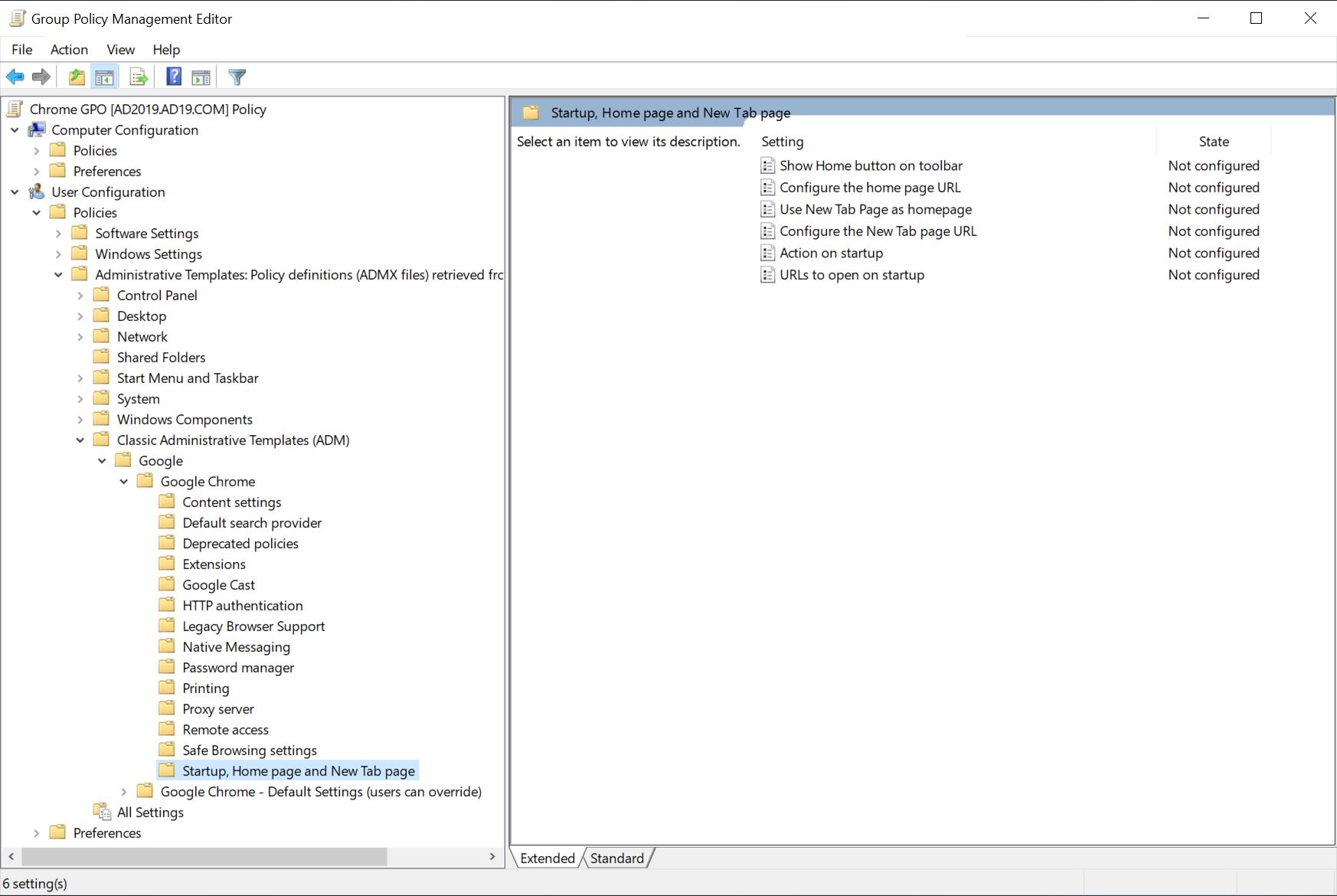
We need to set 4 Google GPO settings here:
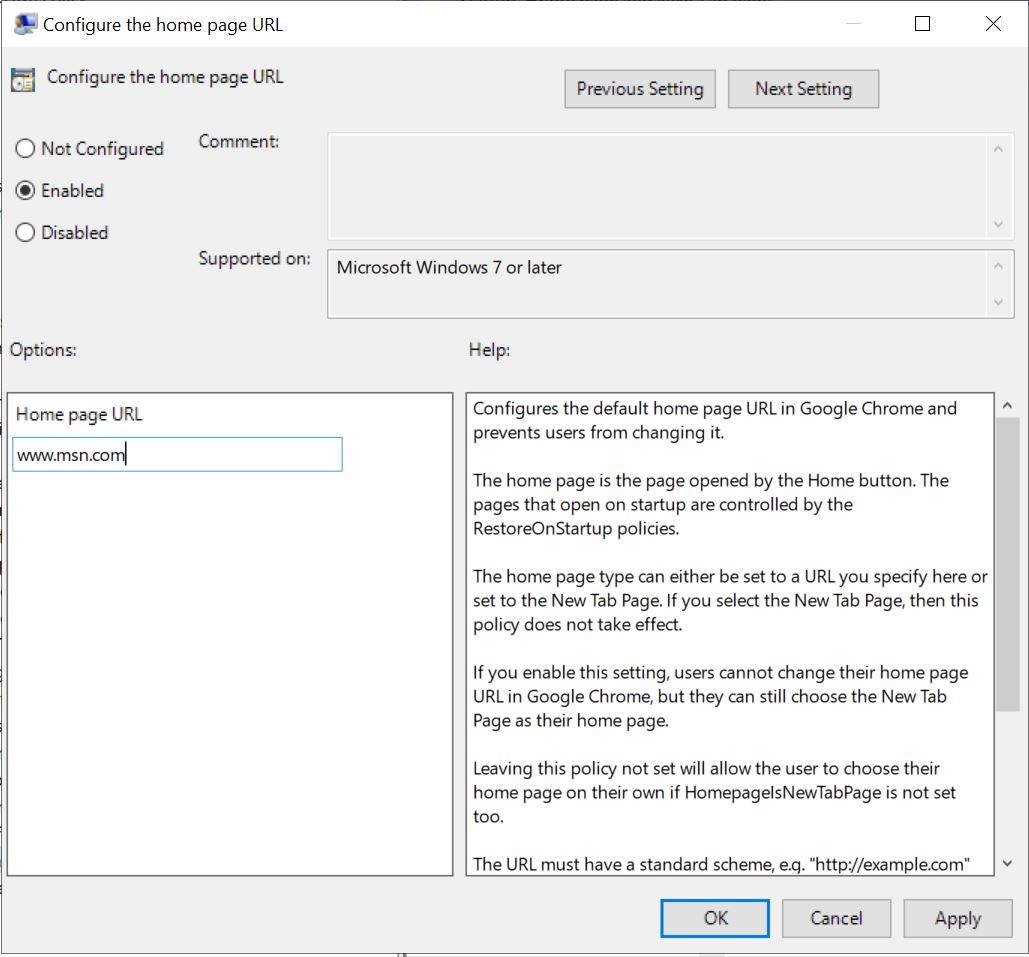
- Configure the home page URL
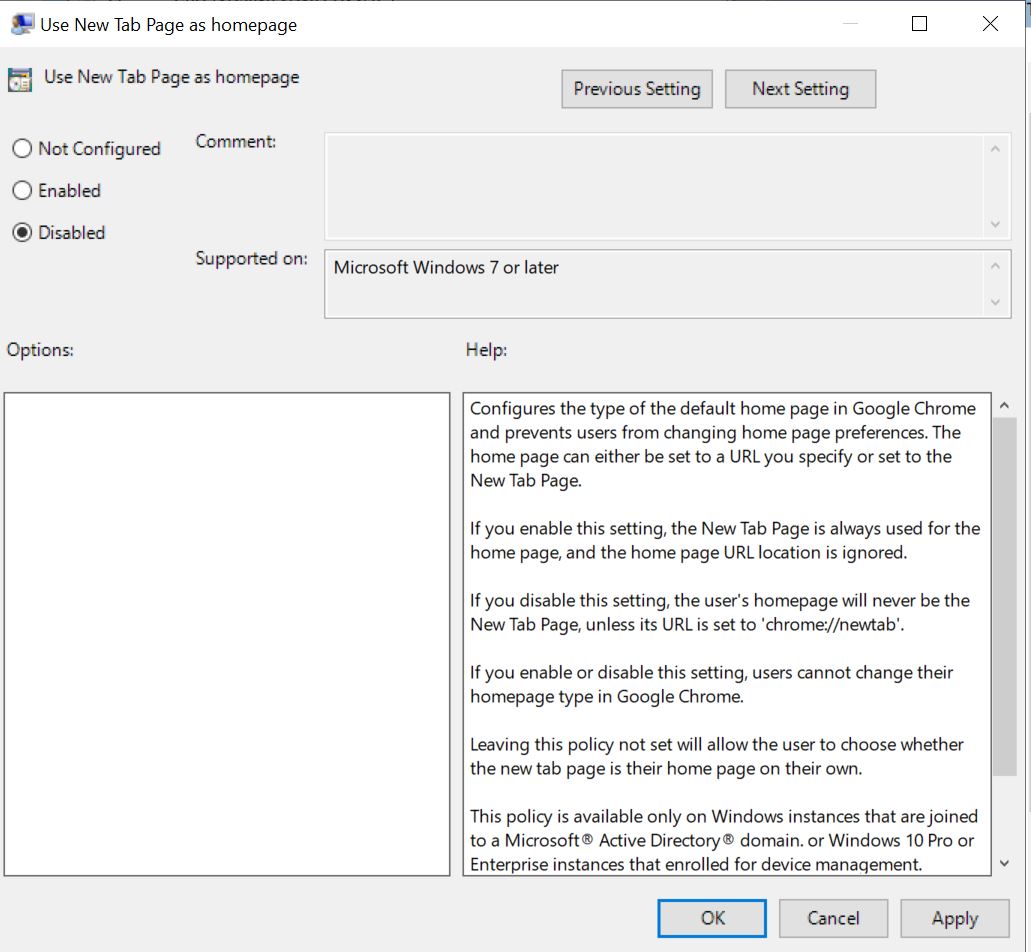
- Use New Tab Page as the homepage
- Action on startup
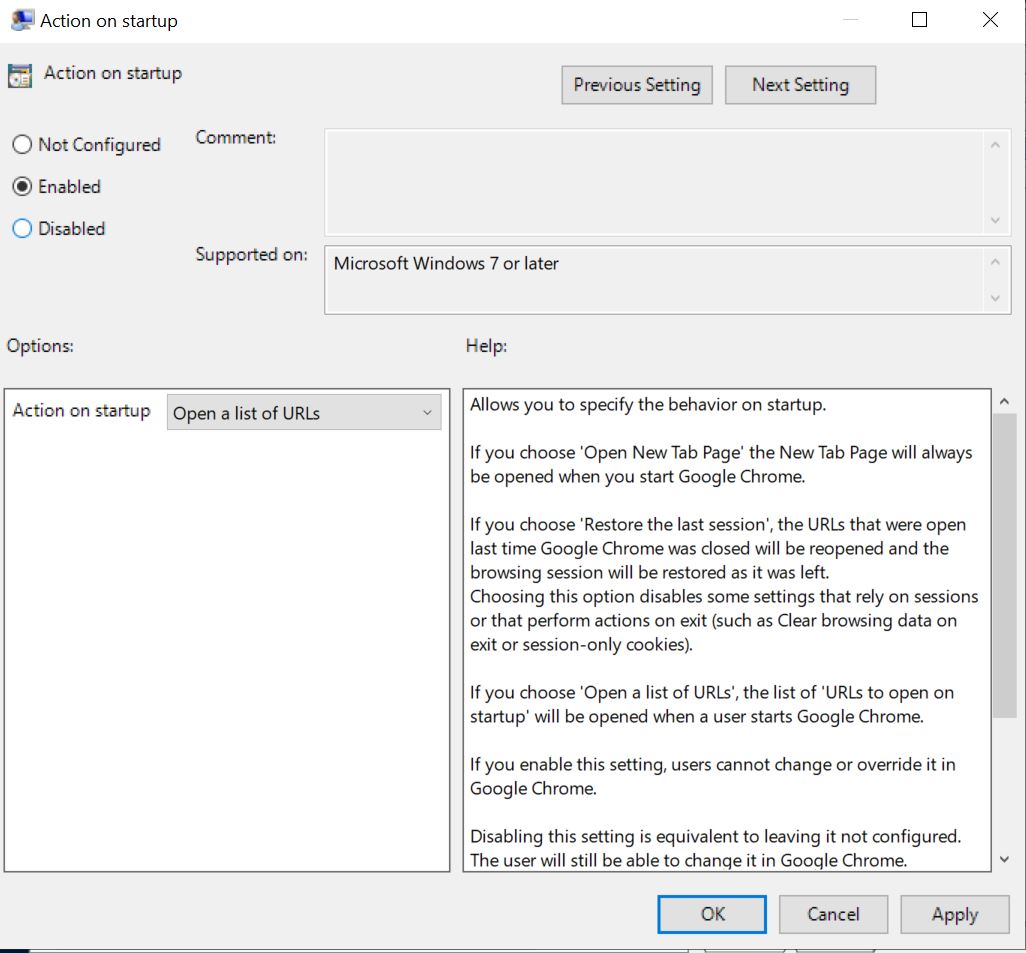
- URLs to open on startup
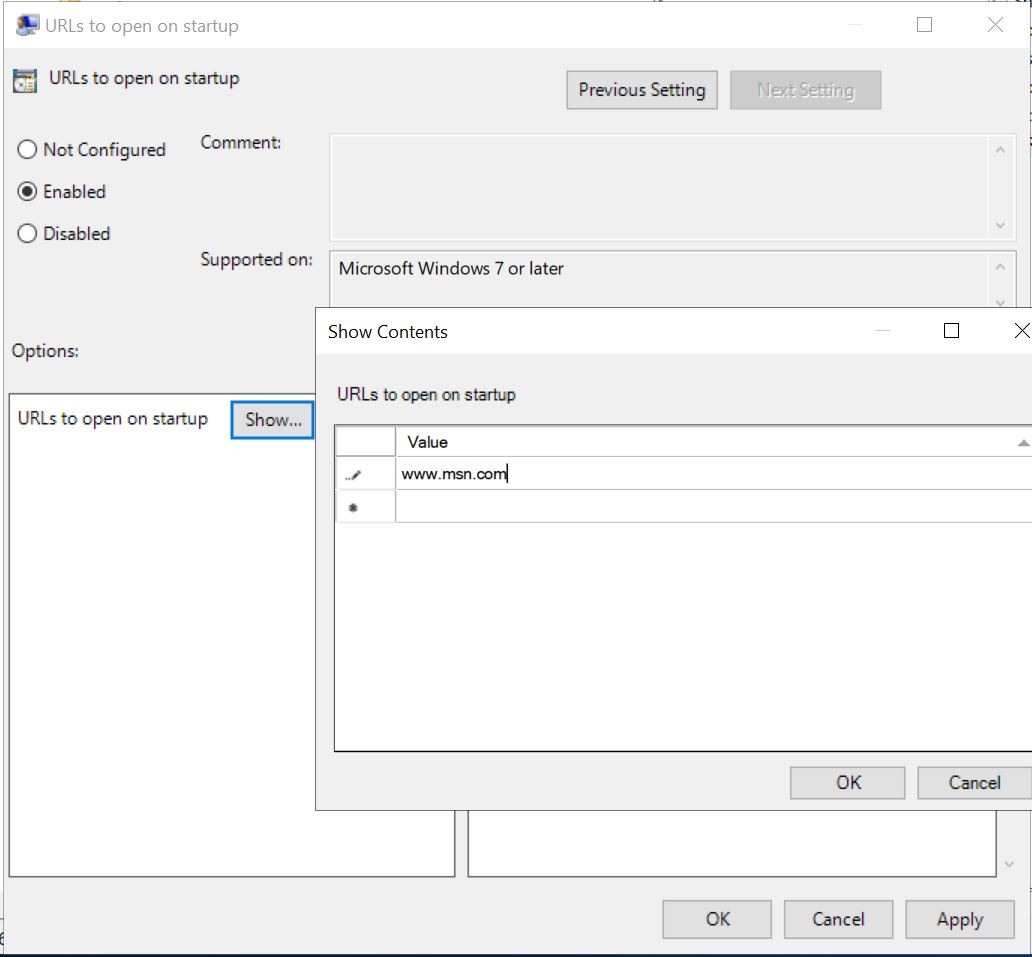
You need to run gpupdate /force command on your client PC and sign off, Logon again and open Chrome you will see that msn.com has been set as home using group policy.