Run EMC Grab for ESXi Hosts from Windows Clients
EMC Grab is a small utility that can be used to get storage-related information (such as Network, HBA, and other hardware information) from ESXi hosts. EMC Grab's latest version can be downloaded directly from the EMC FTP server:
ftp://ftp.emc.com/pub/emcgrab/ESXi/
Once you download the EMC Grab utility for Windows Clients, unzip the file and follow the below steps.
Step 1: Extract the Files
Let's suppose you have unzipped the files in the C:\EMCGRAB folder.
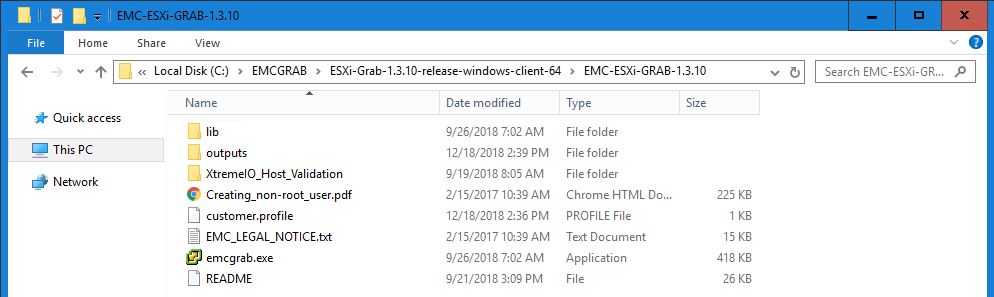
Step 2: Navigate to the Directory
cd "C:\EMCGRAB\ESXi-Grab-1.3.10-release-windows-client-64\EMC-ESXi-GRAB-1.3.10"
Note: Please make sure to edit this path according to the version you downloaded.
Step 3: Run the EMC Grab Command
SSH must be enabled on the ESXi Host. It's recommended to open the command prompt with administrative access.
emcgrab -host 10.10.x.x -user root -password -vmsupport
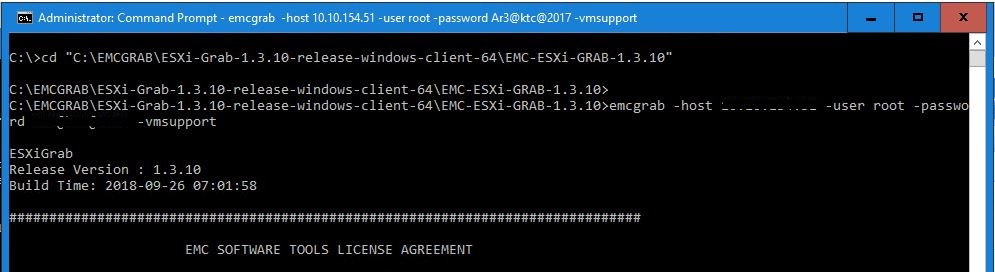
Step 4: Respond to Prompts
You will receive some prompts. If you don't want to provide info, just press Enter.
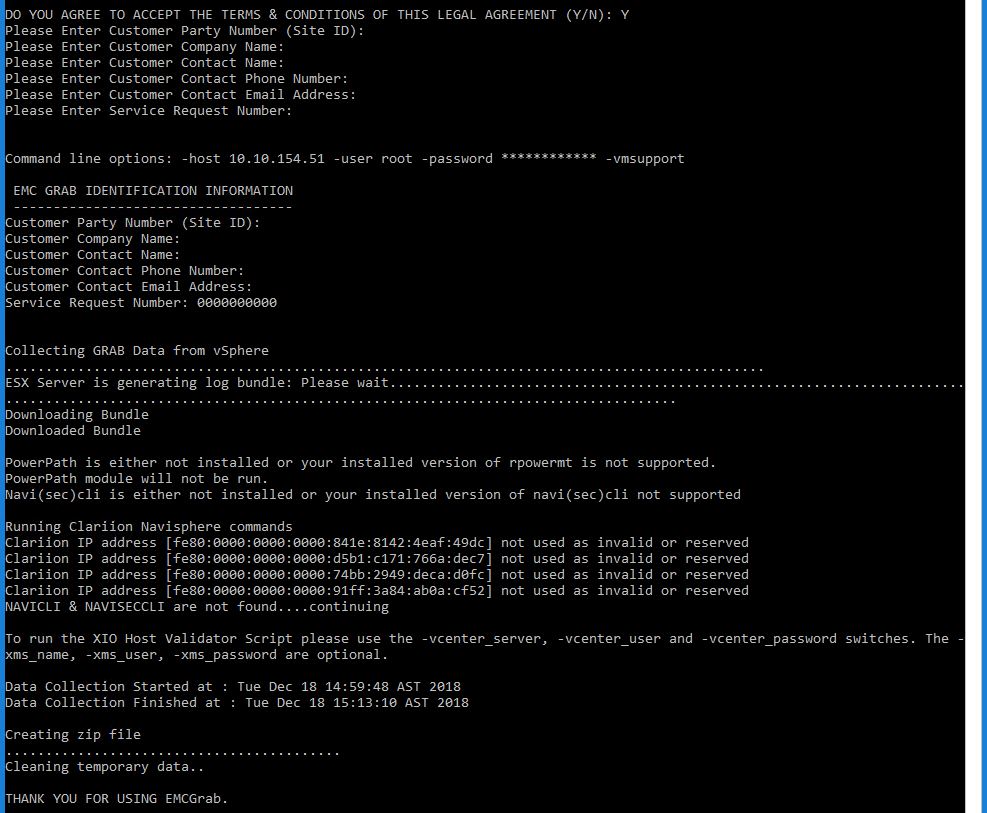
Step 5: Collect the Output
Once the process is completed, you will find a file in the output folder, or you can use -outdir c:\abc to specify a custom output directory.
