How to Get Users With Password Never Expires in Active Directory Using PowerShell
PowerShell is a powerful tool that can be used to analyze and export data for multiple tasks in Active Directory. Today, we will learn how to export the list of users who have the Password Never Expires attribute set to True.
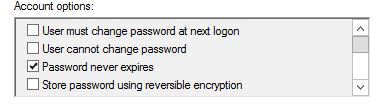
When this attribute is set to True, the password Group Policy doesn't apply to the user and they are considered an exception. So if you have a password expiry GPO on the domain level, it will apply to all users unless a user has Password never expires checked in the Account tab of the user's properties.
Now, let's see how we can get the list of users with never-expiring passwords.
Step 1: Open PowerShell
Open Active Directory Module for Windows PowerShell on your domain controller or a workstation with RSAT tools installed.
Step 2: Run the Export Command
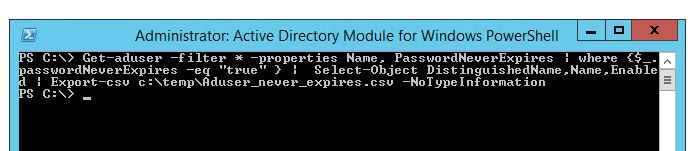
Copy the following command and press Enter. It will create a CSV file with the user details in the C:\temp directory:
Get-ADUser -Filter * -Properties Name, PasswordNeverExpires | Where-Object { $_.PasswordNeverExpires -eq "true" } | Select-Object DistinguishedName, Name, Enabled | Export-Csv C:\temp\ADuser_never_expires.csv -NoTypeInformation
Step 3: Review the Results
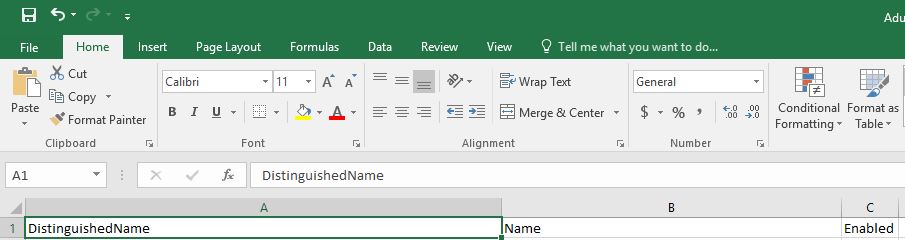
You can open the exported CSV file using Microsoft Excel and find all the details, which include:
- User's location (DistinguishedName / OU path)
- Name of the user account
- Status (Enabled or Disabled) in Active Directory
Frequently Asked Questions
Why is "Password Never Expires" a security concern?
Accounts with passwords that never expire bypass your organization's password rotation policy. This increases the risk of compromised credentials being used indefinitely, making these accounts a common target in security audits.
Can I find only enabled users with Password Never Expires?
Yes, you can add an additional filter to the command. Modify the Where-Object clause to include $_.Enabled -eq $true to return only active accounts with the password never expires attribute.
Does this command require admin privileges?
You need at least read access to Active Directory user objects. Running the command from a domain controller or a workstation with RSAT (Remote Server Administration Tools) installed is required. Domain Admin privileges are not necessary for read-only queries.
How can I disable the Password Never Expires attribute for a user?
You can use the Set-ADUser cmdlet in PowerShell. For example: Set-ADUser -Identity "username" -PasswordNeverExpires $false will disable the attribute for the specified user.