Sending Entra ID (Azure AD) sign-in and audit logs to a Log Analytics workspace is one of the first things to set up in a tenant, because the portal only keeps them for 30 days. When I tried to save the diagnostic setting, it failed with:
Failed to update diagnostics for '/providers/microsoft.aadiam'.{"code":"Conflict","message":"The subscription '01712935-a25d-47758119-009617eaf92g' is not registered to use microsoft.insights."}.
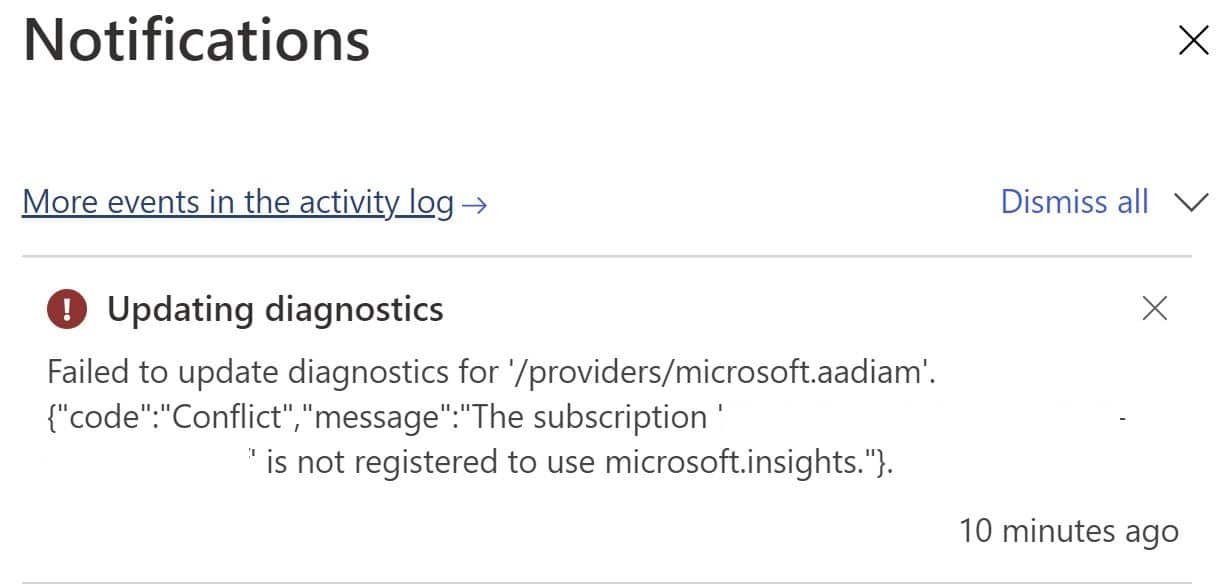
microsoft.aadiam is the resource provider behind Entra ID's diagnostic settings. The error itself comes from the subscription that holds your Log Analytics workspace, storage account or event hub: that subscription isn't registered for the Microsoft.Insights resource provider, which handles diagnostic settings and Azure Monitor.
Applies to: Microsoft Entra ID diagnostic settings sending to Log Analytics, Storage or Event Hubs (also Microsoft Sentinel's Entra ID connector).
Fix: re-register Microsoft.Insights
In the Azure portal
- Open Subscriptions and select the subscription that contains the destination workspace.
- Go to Settings → Resource providers.
- Search for Microsoft.Insights.
- Even if it shows Registered, select it and click Re-register. In my case it said Registered but wasn't working until I re-registered it.
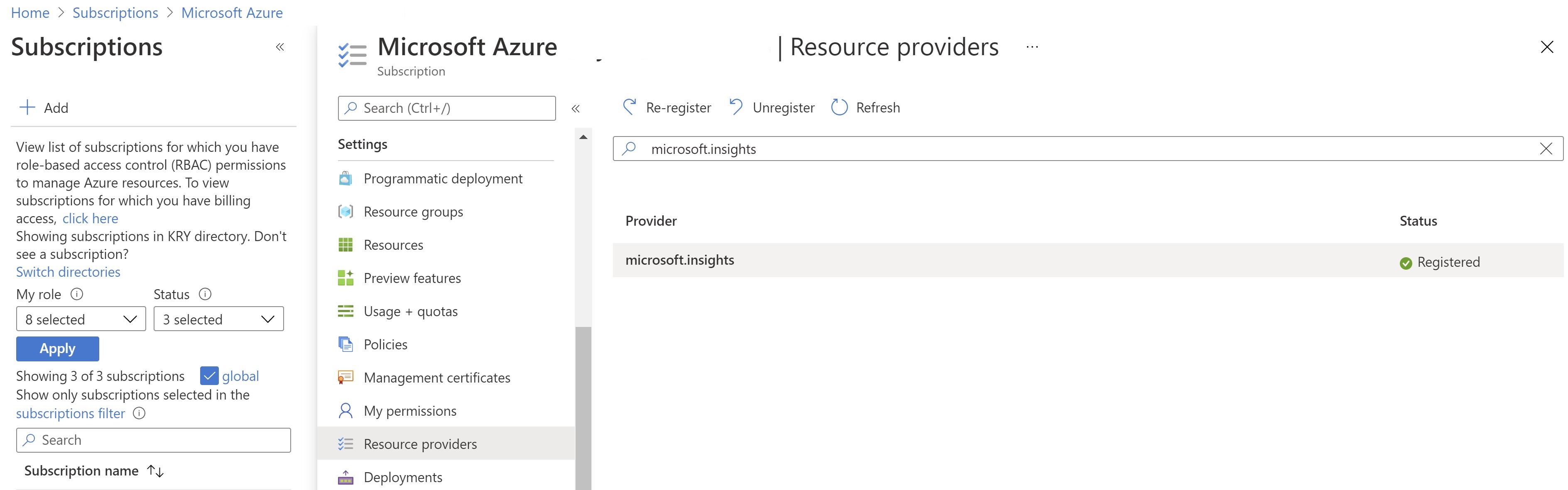
- Wait until the status is Registered (usually 1–2 minutes), then save the diagnostic setting again under Entra admin center → Identity → Monitoring & health → Diagnostic settings.
With PowerShell
Connect-AzAccount
Set-AzContext -Subscription "<destination-subscription-id>"
Register-AzResourceProvider -ProviderNamespace Microsoft.Insights
Get-AzResourceProvider -ProviderNamespace Microsoft.Insights | Select-Object ProviderNamespace, RegistrationState -Unique
With Azure CLI
az account set --subscription "<destination-subscription-id>"
az provider register --namespace Microsoft.Insights --wait
az provider show --namespace Microsoft.Insights --query registrationState
Registering a provider needs Contributor or Owner on the subscription.
Other errors when saving Entra ID diagnostic settings
| Error or symptom | Cause | Fix |
|---|---|---|
does not have authorization to perform action 'microsoft.aadiam/diagnosticSettings/write' |
Missing Entra role | Use Security Administrator or Global Administrator in Entra ID |
| Workspace or storage account doesn't appear in the dropdown | No access to the destination resource | Grant at least Contributor on the workspace or storage account (or Log Analytics Contributor) |
| SignInLogs category missing or greyed out | Licensing | Exporting sign-in logs requires Entra ID P1 or P2 in the tenant |
| Can't add another setting | Limit reached | Each resource allows up to 5 diagnostic settings. Edit an existing one instead |
Check that logs are arriving
After 15–30 minutes, run this in the Log Analytics workspace:
SigninLogs
| where TimeGenerated > ago(1h)
| take 10
And for audit events:
AuditLogs
| where TimeGenerated > ago(1h)
| take 10
If both return rows, the pipeline works. For more on what to keep and why, see Entra ID backup and recovery, where long-term audit logs make a big difference.
Related: Microsoft Entra ID P1 vs P2 · Find stale users and devices in Entra ID · Revoke OAuth refresh tokens in Entra ID