
Microsoft Intune provides device actions such as Wipe/Retire for unused or missing devices. You can wipe/retire the whole device with a remote command from the Intune portal. You must take this action before deleting the user from Azure, as if the user is deleted then you cannot wipe the device.
Wipe action restores the device to its factory default settings. You have the option to keep the data or completely remove it.
Retire action does not remove the user's personal data on the device but it removes all managed app data, configuration, settings that were assigned by Intune. One common example is the Outlook app and its data.
Here you can find how to export the list of devices that are recently wiped from Intune. Azure keeps the logs data only for 30 days.
Step 1: Open the Intune Admin Center
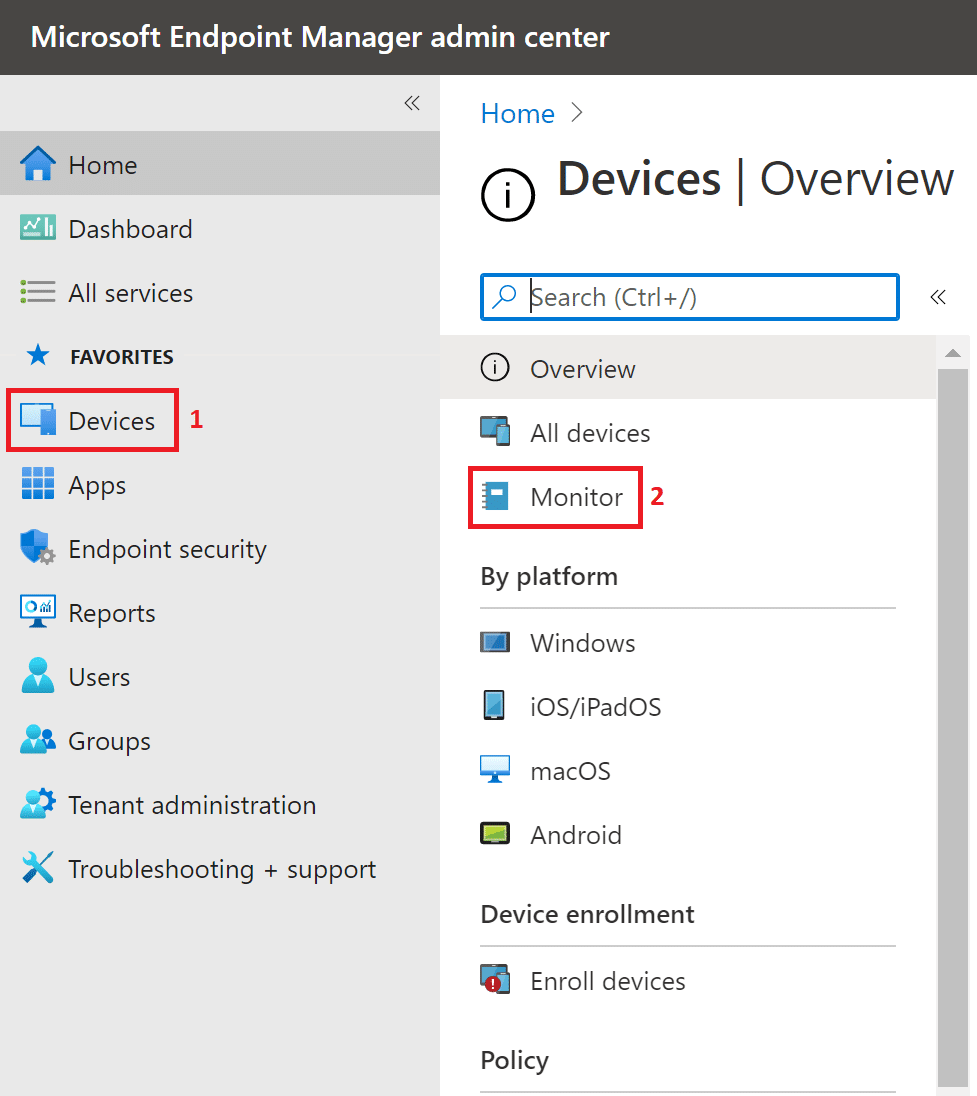
Log into https://endpoint.microsoft.com/ and navigate to Devices within the left-hand panel.
Step 2: Navigate to Device Monitor
From the Devices Panel select Monitor. From here you will see a number of reports which give different information. In this example, we will look for wiped devices.
Step 3: Select Device Actions
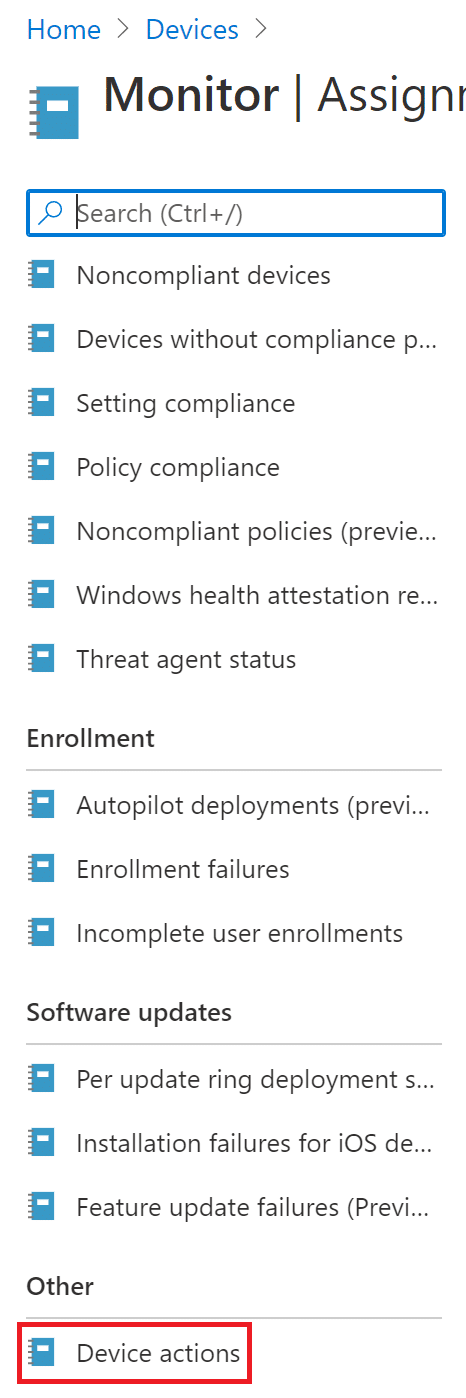
Select Device Actions.
Step 4: Export the Report
Once opened select export, this will download a .csv file which will contain report information.

You can export the list of wiped devices in CSV format.